


Clarify the order of service
A ticket number provides a visible reference for visitors and counter staff.
PUBLIC SERVICES & INSTITUTIONS
Give visitors a clear route for submitting documents, collecting files or requesting information. Ignite QMS helps administrations and institutions in Algeria organise service-counter queues with tickets, displays and voice calls.
Software + hardware · Server PC included
YOUR RECEPTION, EVERY DAY
A ticket number provides a visible reference for visitors and counter staff.
Configure services around document submission, collection and information.
Review processed tickets and service times to inform reception planning.
A SIMPLE JOURNEY
The following is an example workflow. We define service names and counter assignments with your team around the way your site operates.
The visitor selects the reason for their visit at the ticket dispenser, or a receptionist issues a ticket for the right service.
The ticket identifies the number and service, giving the visitor a clear reference while waiting.
The agent calls the next ticket from their workstation, with options to recall or transfer the visitor.
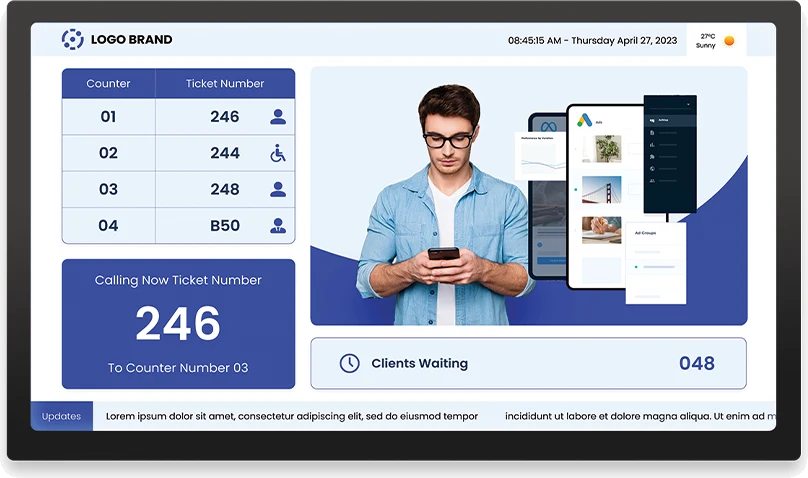
When a calling display is included, it shows the ticket and counter number alongside a voice announcement.
Actual Ignite QMS software screenshot. Services and workflows are configured for your organisation.
Plan my visitor journeyIGNITE QMS SOFTWARE
Set up queues around your services and assign the relevant counters.
Agents call the next visitor and view waiting tickets and service history.
Add your logo, contact details and welcome message to the ticket number and service.
Call ticket numbers in Arabic, French or English, with a male or female voice.
Move visitors to another service counter when their visit requires a further step.
Review processed tickets and service times to understand reception activity.
SOFTWARE + HARDWARE
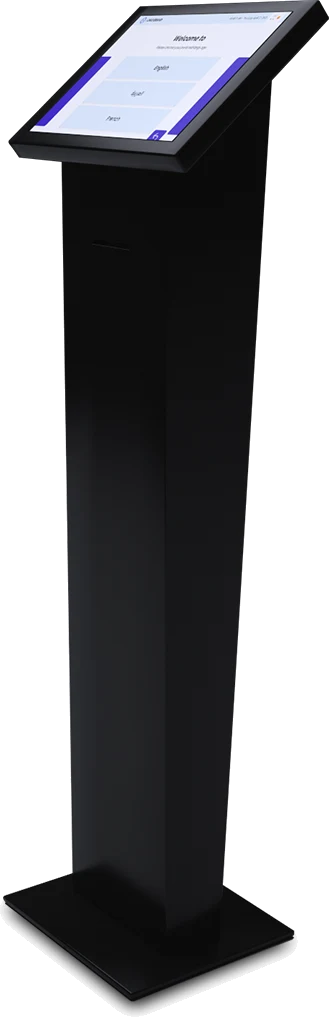
Choose Essential when a receptionist issues tickets from a compatible PC supplied by your organisation. Standard and Premium offer a touchscreen ticket dispenser for self-service arrivals. Every package includes the software and a dedicated server PC; the calling display is optional.
The receptionist hands over the ticket.
Reception PC supplied by the client, subject to compatibility.
Essential quoteVisitors select their service.
A configuration for self-service reception.
Standard quoteAn imported, large-format kiosk.
A larger screen for your reception area.
Premium quoteTV queue display available as an option on request.
Additional equipment and agent workstations are specified in your quote.
BEFORE YOUR PROJECT
Yes. Service names and counter assignments are defined around your institution’s workflow.
Yes. Voice announcements are available in Arabic, French and English, with male or female voices.
Yes. Tickets can show your logo, contact details and message alongside the service and queue number.
The display is optional. Your quote specifies the required screens, agent workstations and any additional equipment.
Share your institution’s location, services, number of counters and preferred way of issuing tickets. We use these details to recommend a configuration.
Describe your services, counters and visitor journey. We’ll propose a configuration for your institution.
 Your project with