QUEUE MANAGEMENT SYSTEM IN ALGERIA

A smoother welcome.For everyone.

Queue management software, ticket dispensers and calling displays for your reception in Algeria. Equip a new branch or improve an existing site with Ignite QMS.

Request a quote
Software + hardware Configured for your site
Every visit starts here.
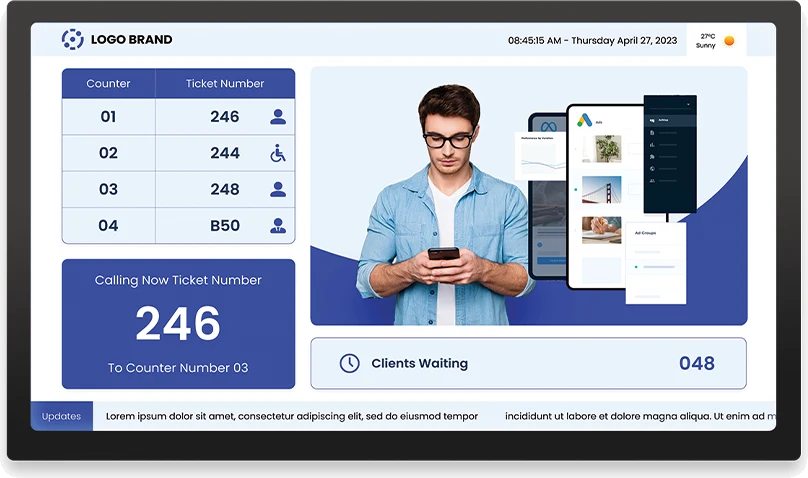
Ignite QMS calling display showing ticket and counter numbers
Queue display
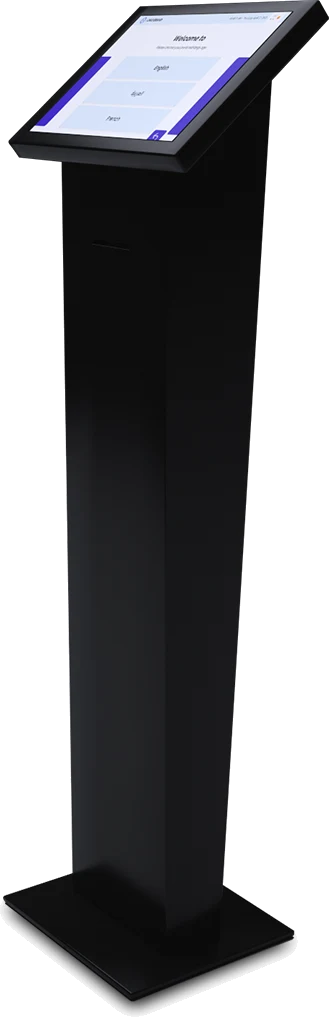
Standard black touchscreen ticket dispenser
WELCOMEYour ticketA024One number.
The right service.
Sample ticket
01

A clear journey.
For every visitor.

CLINICS · PUBLIC SERVICES · BRANCHES · CUSTOMER CARE

Trusted by these organisations.

  • Directorate General of Taxes
  • Ministry of Foreign Affairs
  • Ministry of Justice
  • CNAS
  • Sonelgaz
  • Turkish Airlines
  • DP World
  • Toyota
  • Digi Booking
  • Mosaic Visa
  • Massinissa Medical Imaging and Diagnostics
  • Attia Medical Laboratory
  • CWA Sétif

Everyone’s turn.
Made simple.

01

Choose a service

The visitor selects the reason for their visit on the touchscreen kiosk.

02

Take a ticket

A number, a service and a clear reference while waiting.

03

Receive the call

The agent calls the next visitor from their workstation.

04

Go to the right counter

The number appears on the display with a voice announcement.

TRY THE JOURNEY ILLUSTRATIVE DEMO
STEP 01 / YOUR ARRIVAL

Welcome.
Which service do you need?

The software behind
a better reception.

01 / COUNTERS

The right call.
At the right time.

Manage service-counter queues from one agent interface: call, recall and transfer visitors as their visit progresses.

  • Call, recall and manual calling
  • Transfers between counters
  • Waiting visitors and service history

Your reception.
Your way of welcoming.

Select your industry.
Picture your next reception.

SAMPLE WORKFLOW
YOUR TURN
C024COUNTER02
ReceptionConsultationsAdmissions
Ignite QMS kiosk illustrating the start of the visitor journeyThe right service. A clearer journey.

CLINICS & MEDICAL CENTRES

A clear next step for every patient.

Direct patients to reception or the relevant service and make the order of service easier to follow.

Let’s discuss your site

One software platform.
Three ways to welcome.

01 / ASSISTED RECEPTION

Essential

Your receptionist leads the way.

Illustrative reception workstation running Ignite QMSReception PC supplied by the client · Illustration

  • Complete Ignite QMS software
  • Ticket printer
  • Dedicated server PC included
  • No self-service kiosk required

For practices, small laboratories and sites with a receptionist.

What you need to provide

A client-supplied reception PC, subject to compatibility checks. The receptionist selects the service and hands over the ticket. Server configuration and counter numbers are specified in your quote.

Price on request Optional calling display
Choose Essential
02 / SELF-SERVICE RECEPTION

Standard

Visitors choose. The kiosk prints.

15,6″TOUCHSCREENBlack Standard kiosk with a 15.6-inch touchscreen
  • Complete Ignite QMS software
  • Black 15.6″ touchscreen kiosk
  • Integrated 80 mm printer
  • Dedicated server PC included

For clinics, laboratories, public services and sites with several counters.

Technical specifications
Screen
15.6″ touchscreen · 1024 × 768
Processor
Intel Core i5-5200U
Memory
4 GB RAM
Storage
128 GB SSD
Printer
80 mm thermal · 300 mm/s
Enclosure
Black metal · 120 × 40 × 40 cm

Kiosk specifications. Server PC configuration and agent workstations are specified in your quote.

Price on request TV queue display — optional
Choose Standard
03 / LARGE-FORMAT RECEPTION

Premium

A bigger presence at reception.

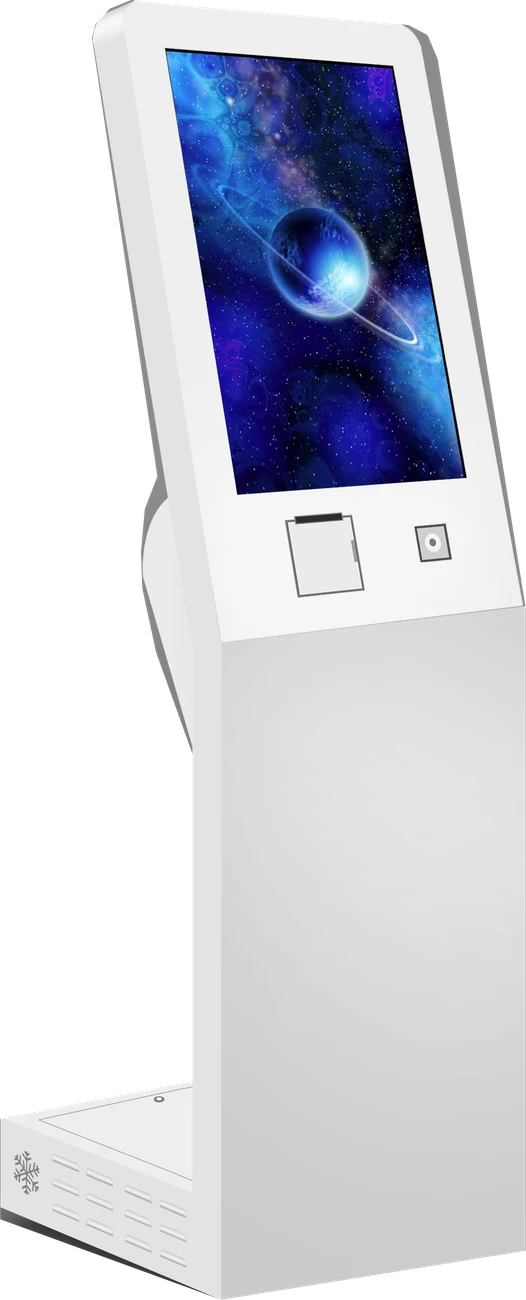
21″FULL HDImported Premium ticket dispenser with a 21-inch Full HD screen
  • Complete Ignite QMS software
  • Imported 21″ Full HD kiosk
  • Integrated 80 mm printer
  • Dedicated server PC included

For institutions and branches looking for a larger-format kiosk.

Technical specifications
Screen
21″ · 1920 × 1080
Touch input
Capacitive · 10-point touch
Processor
Core i5 · 8th generation
Memory
8 GB RAM
Storage
500 GB
Printer
80 mm thermal · 203 dpi

Based on the supplied manufacturer specification. Camera, additional modules and agent workstations are subject to quotation.

Price on request TV queue display — optional
Choose Premium

Not sure which package fits? Tell us about your reception. We’ll help you choose.

Help me choose

SEE IT IN ACTION

One ticket.
A clearer journey.

From choosing a service to being called to a counter, see how Ignite QMS works.

Good questions.
Clear answers.

Is Ignite QMS suitable for our organisation?

Ignite QMS is designed for organisations that welcome visitors and direct them to services or counters: clinics, banks, public services, branches and customer service centres. We help companies setting up in Algeria and existing businesses choose equipment around their reception workflow and number of counters.

What equipment does a queue management system need?

Every package includes the software and a dedicated server PC. Essential adds a ticket printer and uses your compatible reception PC. Standard and Premium include a touchscreen ticket dispenser with an integrated printer. Agent workstations and the calling display are specified in your quote.

Is the TV queue display included?

No. The TV display is optional with Standard and Premium. A calling display is also optional with Essential. Your quote lists the selected equipment.

Which languages are available for voice announcements?

Voice announcements are available in Arabic, French and English, with a male or female voice. The language and settings are configured for your reception.

Can we customise the tickets and queue display?

Yes. Tickets can include your logo, contact details, a message and a QR code alongside the service and ticket number. The queue display also has customisation settings.

How much does a queue management system cost in Algeria?

Ignite QMS is quoted according to the Essential, Standard or Premium package, the number of counters and the hardware selected. The calling display is optional. Share your site type, location in Algeria and counter requirements to receive a tailored proposal.

What is the difference between a ticket dispenser and queue management software?

A ticket dispenser issues a number to the visitor. Queue management software organises services, waiting tickets, calls and transfers between counters. Ignite QMS connects these functions with displays and voice announcements to guide visitors to the right counter.

Can we manage queues without a touchscreen kiosk?

Yes. With Essential, your receptionist selects the service on a compatible reception PC and hands the printed ticket to the visitor. The software, printer and dedicated server PC are included; you supply the reception PC. Standard and Premium let visitors choose their service at a self-service kiosk.

Let’s plan
your reception.

Tell us about your organisation.
We’ll recommend the right configuration.

  1. 01 We discuss your requirements.
  2. 02 We define your configuration.
  3. 03 You receive a tailored proposal.
SARL CECI, Ignite QMS in AlgeriaYour project in Algeria
SARL CECI · Ignite QMS

Request your quote

Add project details Optional

By submitting this form, you ask us to contact you about your project. .

* Required fields

WhatsApp

Ignite QMS

Your data. Your project.

We use the information in this form to understand your requirements, contact you and prepare an Ignite QMS proposal. Required fields identify your organisation and provide a way to reach you.

Who receives your enquiry?

Your enquiry is sent to Ignite Technologies and CECI for the commercial follow-up of your project in Algeria. Enquiries are stored through Netlify Forms and a notification is sent to info@igniteae.com.

Only the information we need

Your enquiry is intended for the team handling your project. Please do not include medical or sensitive information. Contact us with questions about retaining or deleting your data.

Measurement and external services

Campaign parameters in the link may accompany your enquiry to identify its source. Google Ads uses cookies and receives technical browsing data, advertising click identifiers and quote-request, WhatsApp-click and phone-click events to measure our advertising. This tracking loads automatically. Form-field contents are not sent to Google by this tracking. Personalised advertising and enhanced conversions are not enabled. TWIPLA also measures visits and browsing on this site. The YouTube video only loads when you ask to play it. Phone and email links open the relevant applications.

Questions about your data?

Write to contact@ceci-dz.com with any questions or requests about the information you share with us.